Understand the product language.
Short, practical definitions for the terms used across Trends Explorer, Objectives, Qbilon service views and the operational examples.
View
A saved Trends Explorer definition for one monitoring question. It selects the PRTG sensors and channels that belong together, defines how their history is analysed and determines which calculated channels the deployed Trends sensor will return. A View may describe one component, a capacity question, an application or a complete service, while retaining every source object's PRTG identity.
Used in Trends ExplorerSource evidence
The original PRTG objects, channels, units and historical samples selected for a View. This is the data from which Trends Explorer calculates results and against which an objective must be matched. Source evidence remains identifiable so an operator can verify where a result came from; it is not the calculated Trends output itself.
Used throughout the product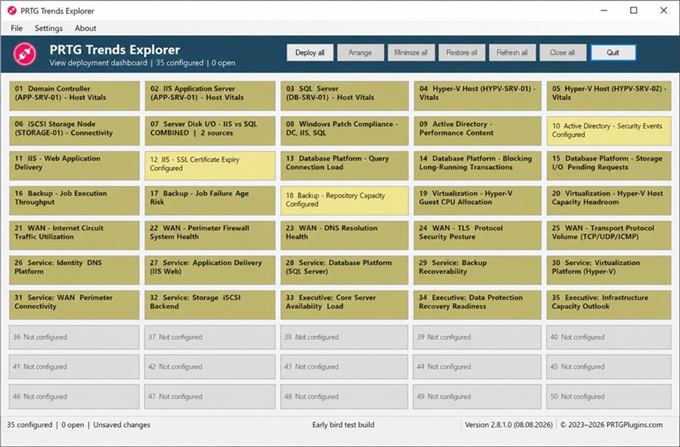
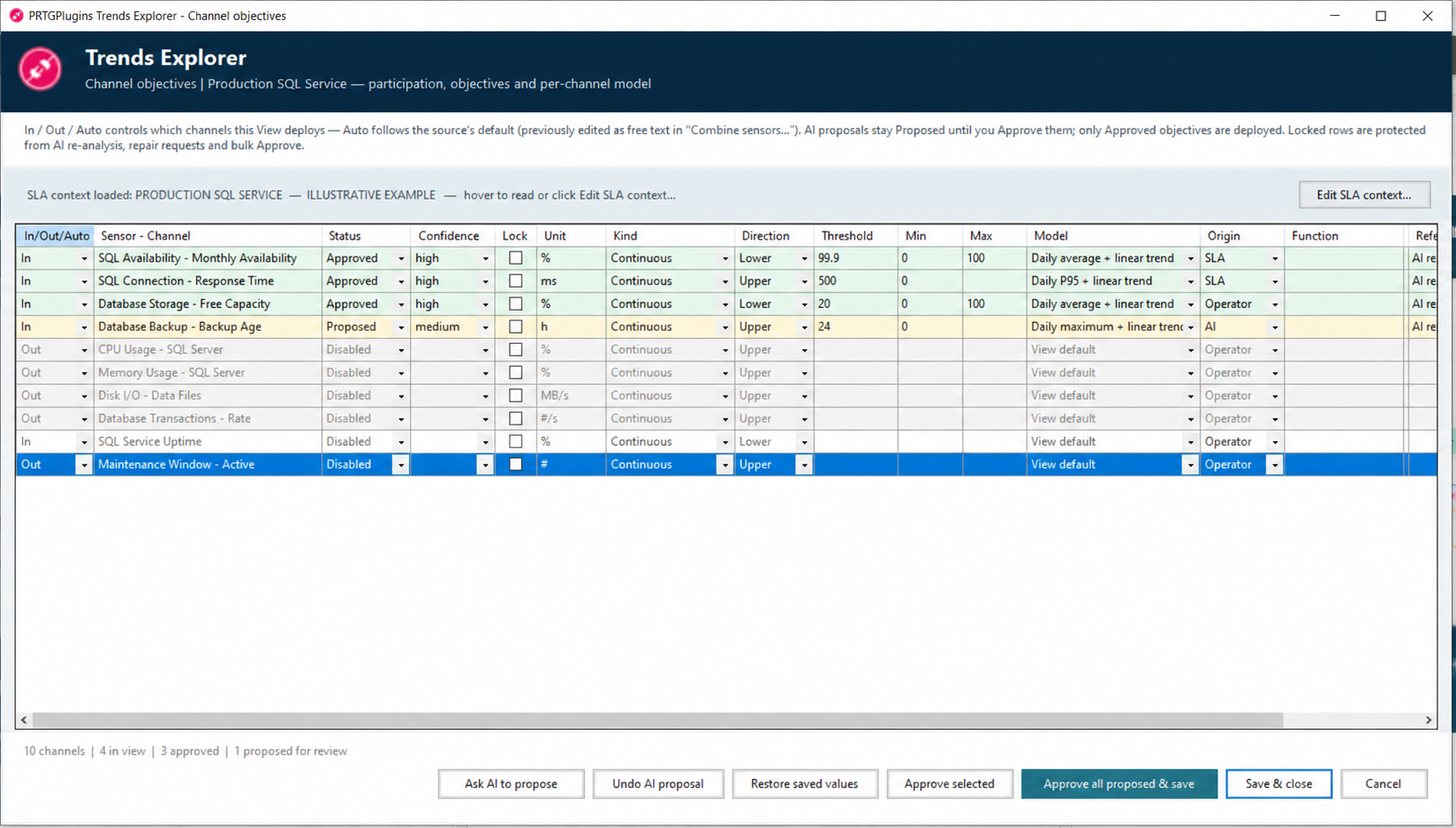
Service objective
A reviewable rule describing the acceptable state or intended direction of a monitored service measurement. It records the compatible source channel, unit, risk direction and Boundary, together with its origin and approval state. The source may be an SLA, an internal target, a table, free text or another authorized rule set. Only an Approved objective is packaged for objective-based forecasting.
Used in Objectives and Trends ExplorerBoundary
The approved lower or upper value attached to a service objective. Its unit and direction must match the selected PRTG channel: for example, free capacity may have a lower Boundary while response time has an upper Boundary. Reaching or crossing it is the event for which Trends Explorer calculates time and within-horizon risk.
Used in objective designThreshold
The numerical crossing value used by a calculation or exposed in an output name. In the public objective model, Boundary names the reviewed service-objective limit; threshold remains the established calculation term in outputs such as Days to threshold. It is not automatically an SLA value unless its origin and approval establish that meaning.
Used in calculations and output namesMonitoring definition
The saved, reviewed configuration that tells the Trends Engine what to execute. It combines a View's selected PRTG source channels, history and forecast settings, analysis models, publication scope and Approved objectives. Desktop may edit and package this definition; the deployed Engine executes only the published version included in its installation package.
Used in Objectives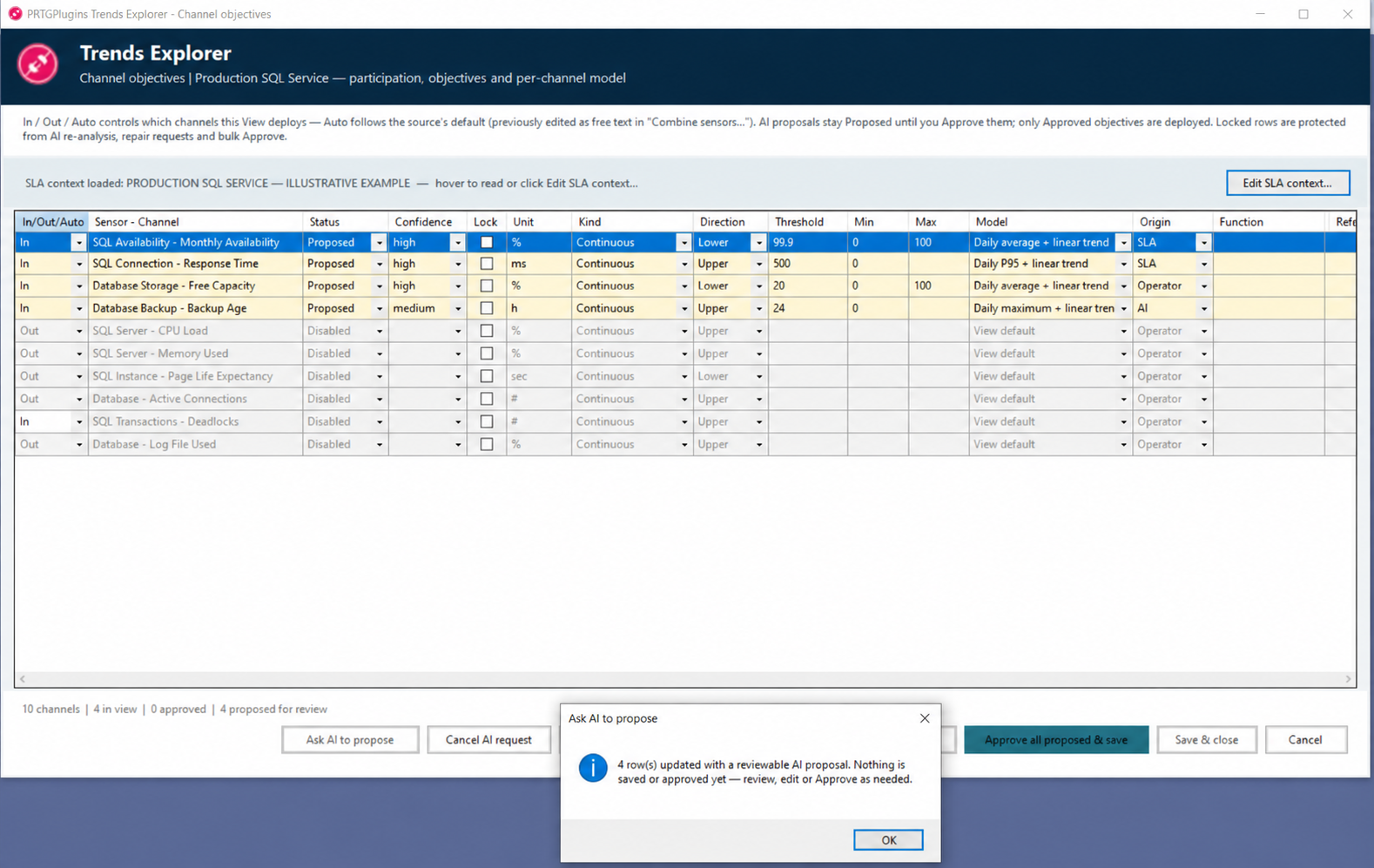
Trends Engine
The precompiled runtime installed on the PRTG Probe that owns a deployed configuration. On each execution it reads the configured PRTG history, performs the packaged statistical calculations and returns the result to PRTG. It runs independently of Trends Explorer Desktop and does not need AI credentials, an AI provider or a live Desktop session.
Used in deployment and operationEngine Instance
One persistently identified Trends configuration and its deployment scope. Its stable configuration identity keeps the same team, Views, generated sensors, Probe target and Qbilon-owned relationships associated across package rebuilds and updates. It is not simply a filename, folder or currently running process.
Used in licensing and multi-team operationTrends sensor
The authoritative numerical monitoring and alarm object created in PRTG for a published View. The Trends Engine returns its calculated channels—Forecast, Slope and Coverage for selected sources, plus Days to threshold and Breach probability where an approved objective applies. PRTG applies the reported state, channel limits and notification rules.
Used in PRTG operation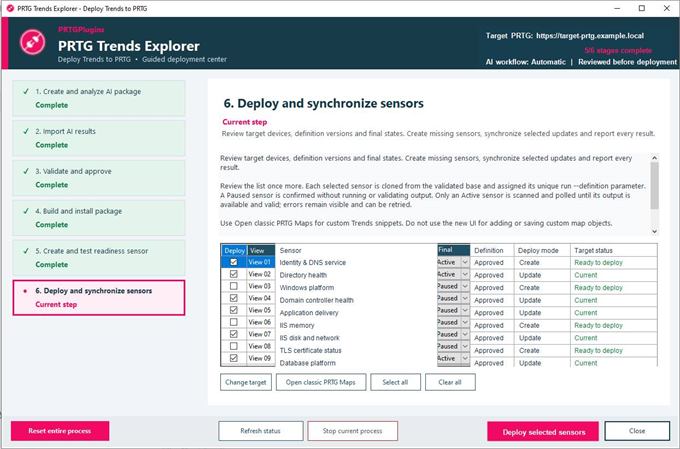
Service Outlook
A Trends Explorer–generated PRTG Map component that an operator can add to a PRTG Map. One component provides three connected views: Service Outlook explains the operational situation, Overview summarizes the published Trends result, and Statistics & Sources exposes the numerical result and the PRTG evidence behind it. Service Outlook identifies the approved objective and source channel involved, shows whether its Boundary is already breached or forecast to be reached, and presents the available time-to-Boundary and within-horizon breach risk. Built-in links take the operator directly to the authoritative Trends sensor, the configured target device and the relevant source sensors in PRTG. Every view presents the same governed Engine result—not a separate calculation, application or AI answer.
Generated by Trends Explorer for use in PRTG MapsForecast horizon
The configured future period for which a View produces forecast values and evaluates objective risk. Breach probability answers whether a Boundary may be crossed inside this period. Days to threshold estimates the crossing time and may indicate that the projected crossing lies beyond the chosen horizon.
Used in forecast configurationDays to threshold
A numerical Trends-sensor channel produced for a source with an Approved objective or applicable approved threshold. It estimates the time from the current calculation point until the forecast reaches the relevant Boundary. It supports advance warning in PRTG, but it is an estimate rather than a scheduled or guaranteed breach date.
Used as a Trends output channelBreach probability
A numerical Trends-sensor channel estimating the probability that the forecast will cross the relevant approved Boundary within the configured forecast horizon. It describes modelled risk inside that period; it does not state that a breach or service impact is certain.
Used as a Trends output channel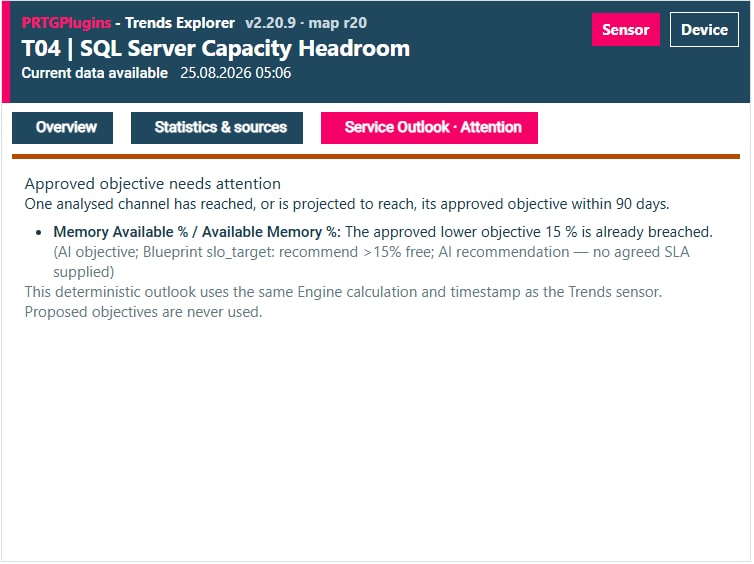 2 · Overview
 3 · Statistics & Sources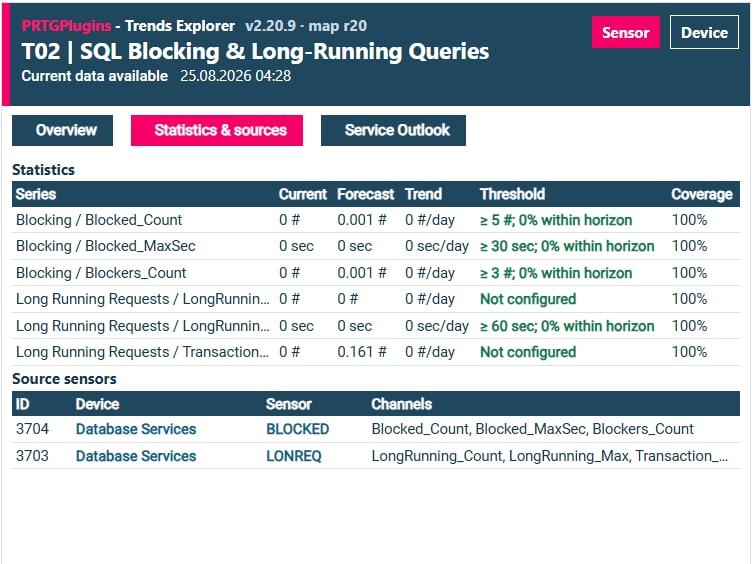
Coverage
A calculated Trends-sensor channel describing the usable source-history coverage available to the model for a selected channel. It lets the operator see whether a forecast is based on sufficiently complete history. Coverage reports data availability; it is not the forecast value, model confidence or approval state.
Used in statistics and readinessConfidence
Review information describing how strongly the available evidence supports a statistical result or design-time proposal in its stated context. It may reflect model fit, variability or proposal evidence, depending on the view in which it appears. Confidence helps a person judge what deserves scrutiny; it is not approval, a PRTG alarm state or proof that a forecast will occur.
Used in analysis and reviewAI proposal
A structured design-time suggestion returned from optional AI analysis for Views, source-channel roles, objectives or analysis models. Trends Explorer imports it into a separate Proposed state with rationale and provenance for human review. It cannot enter the deployed definition or affect PRTG until the operator approves the relevant content; AI is absent from the Engine runtime.
Used in guided design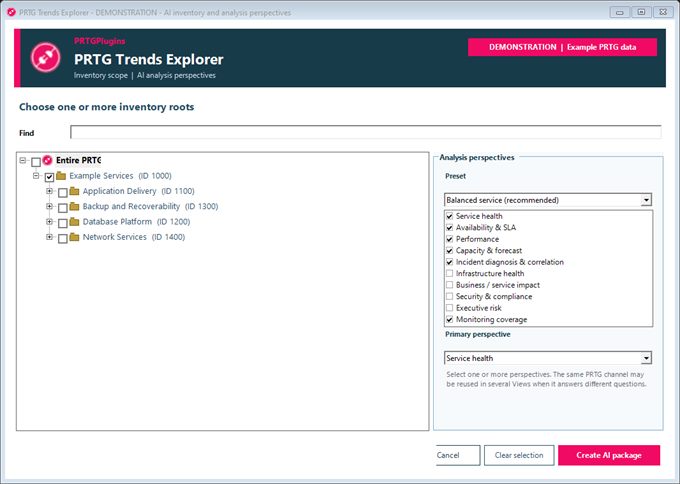
Blueprint
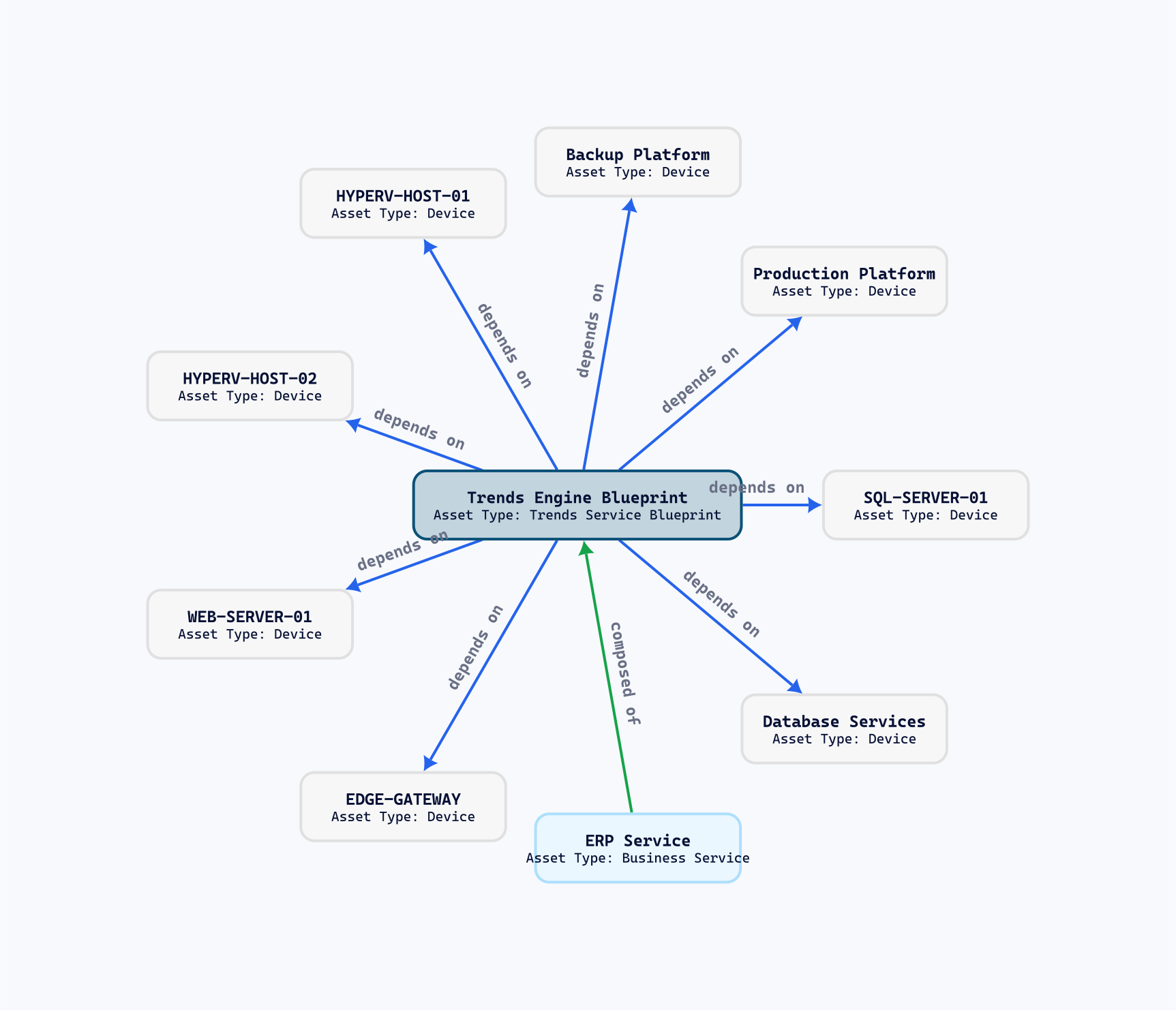
The persistently identified Qbilon asset that represents the service or system defined by a deployed Trends configuration. Trends-owned relationships connect it to the relevant infrastructure, overview and diagnostic Trends sensors, and source evidence. It is the service anchor used for focused graph exploration, not the Trends calculation runtime.
Used in Trends + QbilonRelationship context
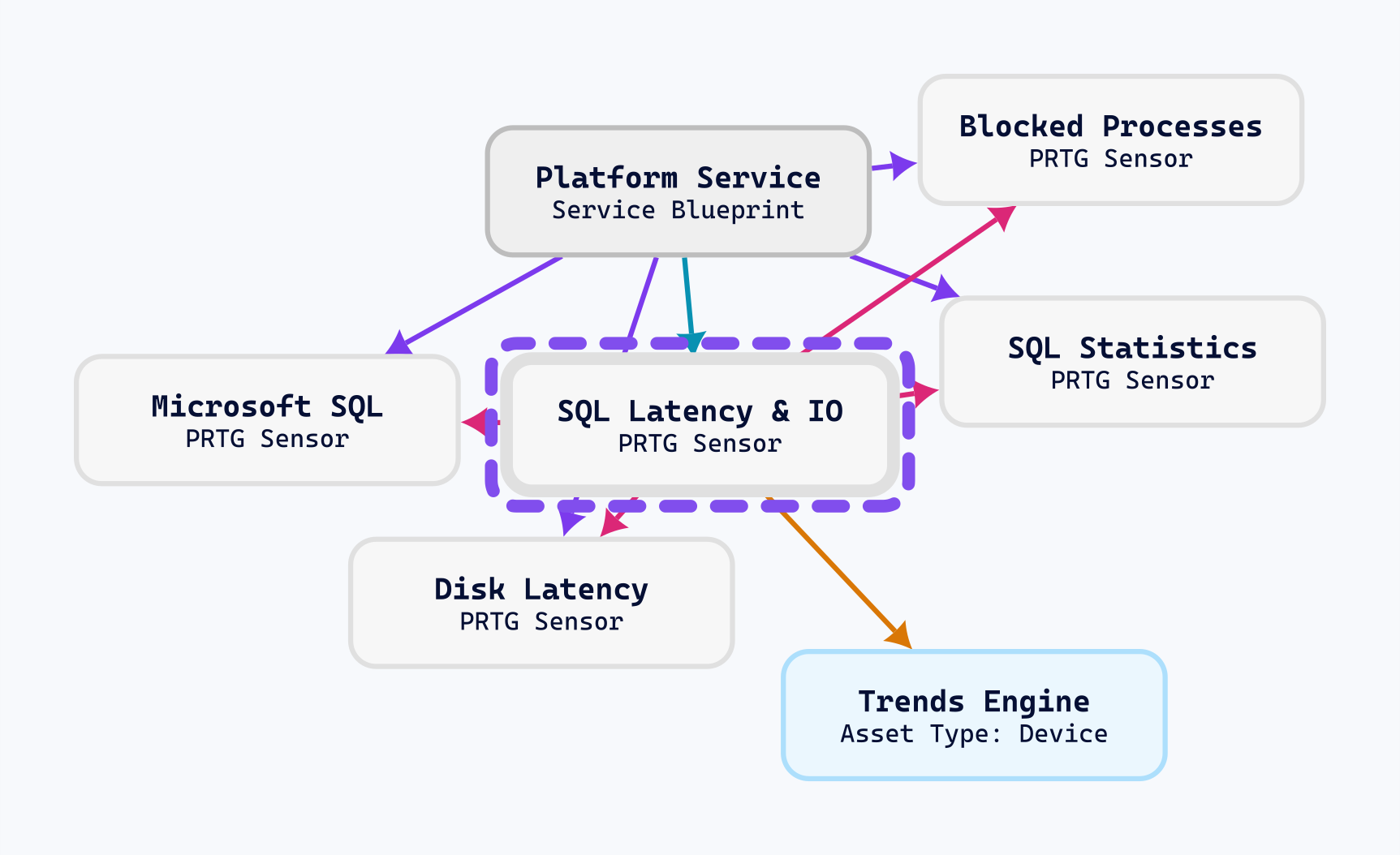
The named Qbilon graph relations that explain the role of each imported or synchronized asset around a service. Examples distinguish what the Blueprint depends on, which Trends sensor represents or supports it, which PRTG sensors provide evidence and which Engine device performs the calculation. The context supports investigation; it does not automatically prove service impact.
Used in Trends + Qbilon and conceptsQbilon synchronization
A separate controlled Desktop workflow that reconciles a deployed Trends service model with assets already imported through Qbilon's PRTG connector. It reuses stable PRTG, Engine Instance and Blueprint identities and creates or updates Trends-owned relationships for current published Views instead of duplicating them. It does not run the Trends calculations, modify PRTG source monitoring or automatically propagate service impact.
Used in Trends + Qbilon